For arrangers starting with a piano PDF
The client sent a PDF. Continue with an editable score.
Read and check the piano PDF in PlayableNotes. Export MusicXML, then make the next edit in MuseScore.
A worked example: Clementi’s Sonatina in C, first movement. All 38 bars, from piano PDF to saved MuseScore score.
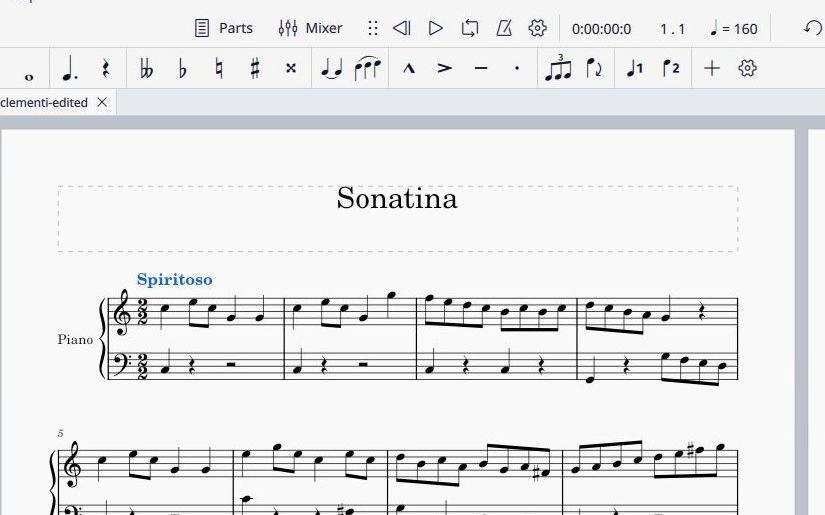
We restored Spiritoso in MuseScore. It is missing from the MusicXML; composer credit and other expression details still need checking.
Download MuseScore file · Checked MusicXML
Read. Check. Continue in your editor.
- PlayableNotes: read the complete piano part, then check the notes and rhythm against the page. Inspect this example’s input PDF.
- PlayableNotes: export the checked notation as MusicXML.
- MuseScore: open the MusicXML, check its formatting and markings, then edit and save your project.
Editable notes. A print you can use.
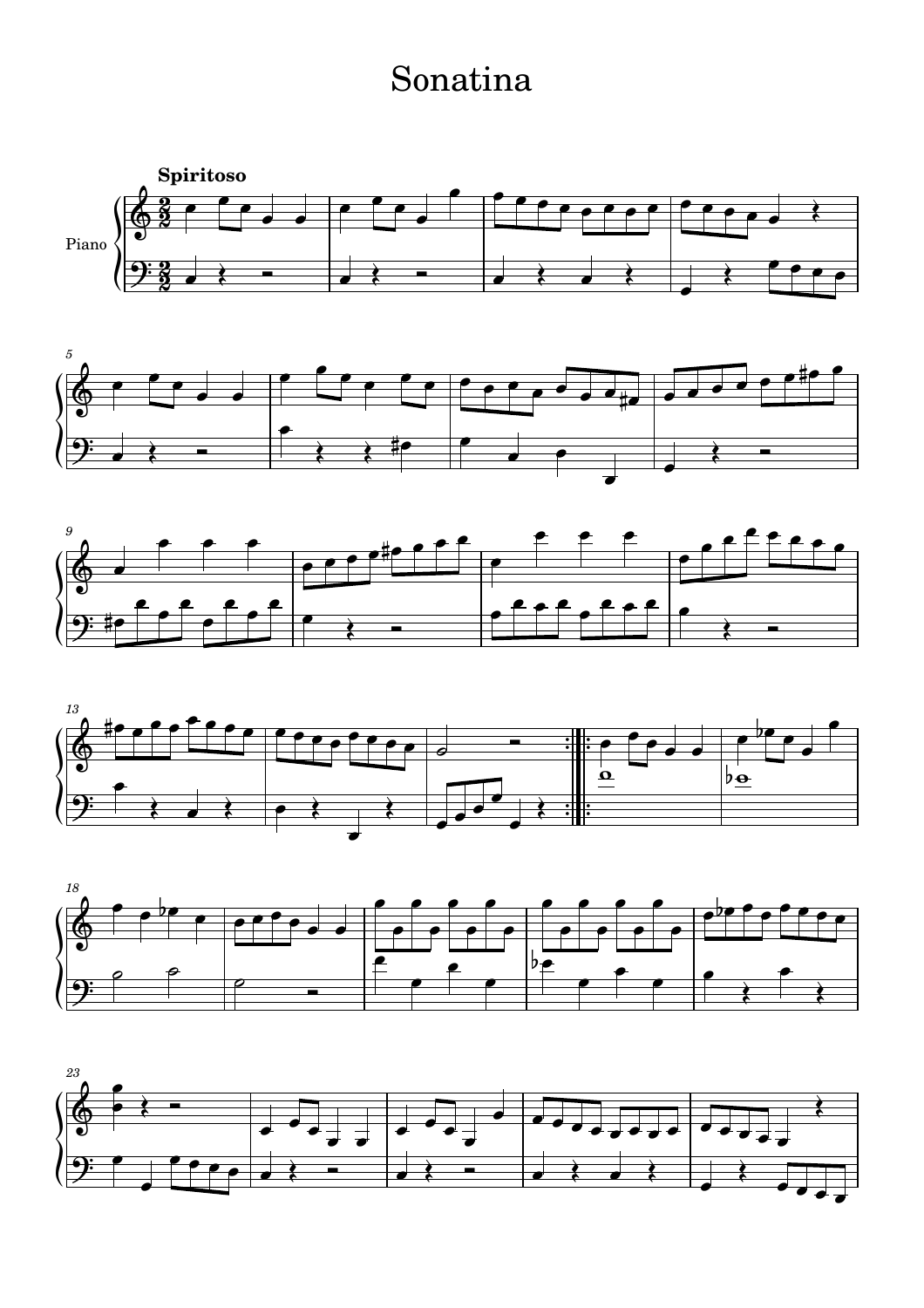
This real import kept all 333 written notes, their rhythms and both repeated sections. We added Spiritoso through the MuseScore interface, saved the project, and exported this two-page PDF.
Download the complete PDF · 2 pages
Composer credit and expression details were not all preserved automatically. Keep the source PDF for comparison. The MuseScore playback setting is quarter note = 160; the source gives no metronome value.
Source, checks and what changed
The input is the complete first movement from a public-domain piano edition at Mutopia. The client-inbox scenario is illustrative; the PDF reading, checked MusicXML export, MuseScore import, marking edit, save and PDF export were completed in the real products.
We removed a spurious time-signature change at bar 5 before export, keeping the movement in 2/2. The imported and edited scores contain the same 389 written note/rest events, including 333 pitched notes. Repeat boundaries match. Unfolding the repeats gives 666 performed notes whose pitches and onsets match the source MIDI.
These checks do not certify identical engraving or every expressive marking. Source dynamics, composer credit and other expression details still need editorial attention. MuseScore is a separate notation application; PlayableNotes supplies the checked MusicXML.
Bring the piano part you need to edit.
Read it, check it, and take the MusicXML into your notation editor.
50 free reading credits. No card needed. Editing and exports are free.